
easyscreen.tv
Designing a frictionless UX ecosystem for non-technical users
Overview
Digital signage software used by businesses with little to no technical expertise.
My role focused on improving:
- Product UX (web app / CMS)
- Website conversion & SEO
- Scalable content creation system
The problem
Users struggled with:
- Not knowing where to start
- Too many templates → overwhelm
- Complex CMS navigation
- Website not clearly converting traffic
The challenge
How might we make a complex digital signage platform usable for non-technical users from day one?
Insight
Users don’t need more features — they need clarity, guidance, and simplicity
01 — Product (Web App / CMS)
Making onboarding effortless
1.1 Guided onboarding
Instead of leaving users alone in the interface:
- Introduced a “Start with these 4 steps” onboarding system directly in the dashboard
- Provided clear, actionable entry points (e.g. create content, build a playlist, publish to screen)
- Reduced ambiguity by guiding users through the exact sequence needed to reach their first success
This transformed the initial experience from open-ended exploration into a structured, goal-driven flow, helping users understand not just what to do, but why it matters.
Result: Faster activation, reduced drop-off during onboarding, and quicker time-to-first-value
1.2 Contextual help
To support users directly within the interface and reduce reliance on external guidance:
- Integrated tooltips directly within the interface, aligned with key actions and decision points
- Delivered short, clear explanations exactly at the moment users needed guidance
- Reinforced this with a “Start with these 4 steps” guide on the main dashboard, outlining the core flow to create and publish content to a screen
- Replaced the need for external documentation or trial-and-error exploration
This approach provided just-in-time learning, allowing users to build confidence while interacting with the product, without interrupting their workflow.
Result: Lower learning curve, reduced confusion, and more confident user interactions
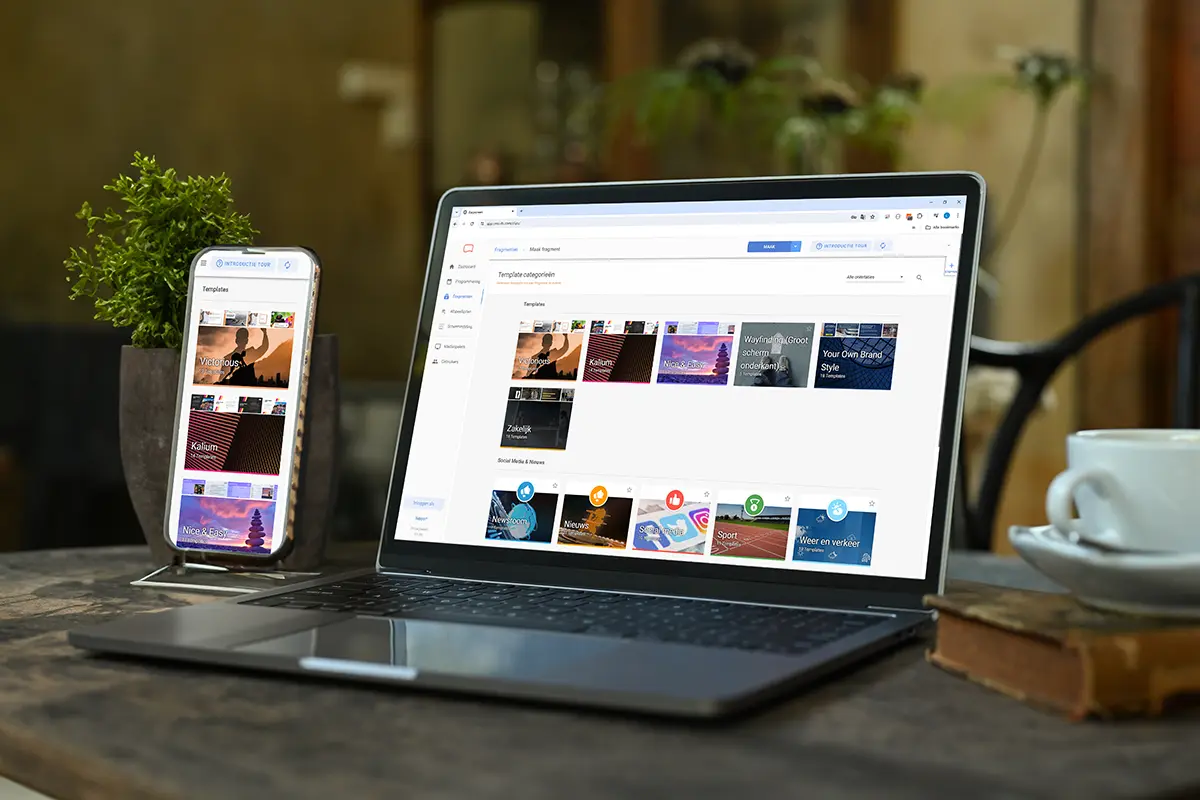
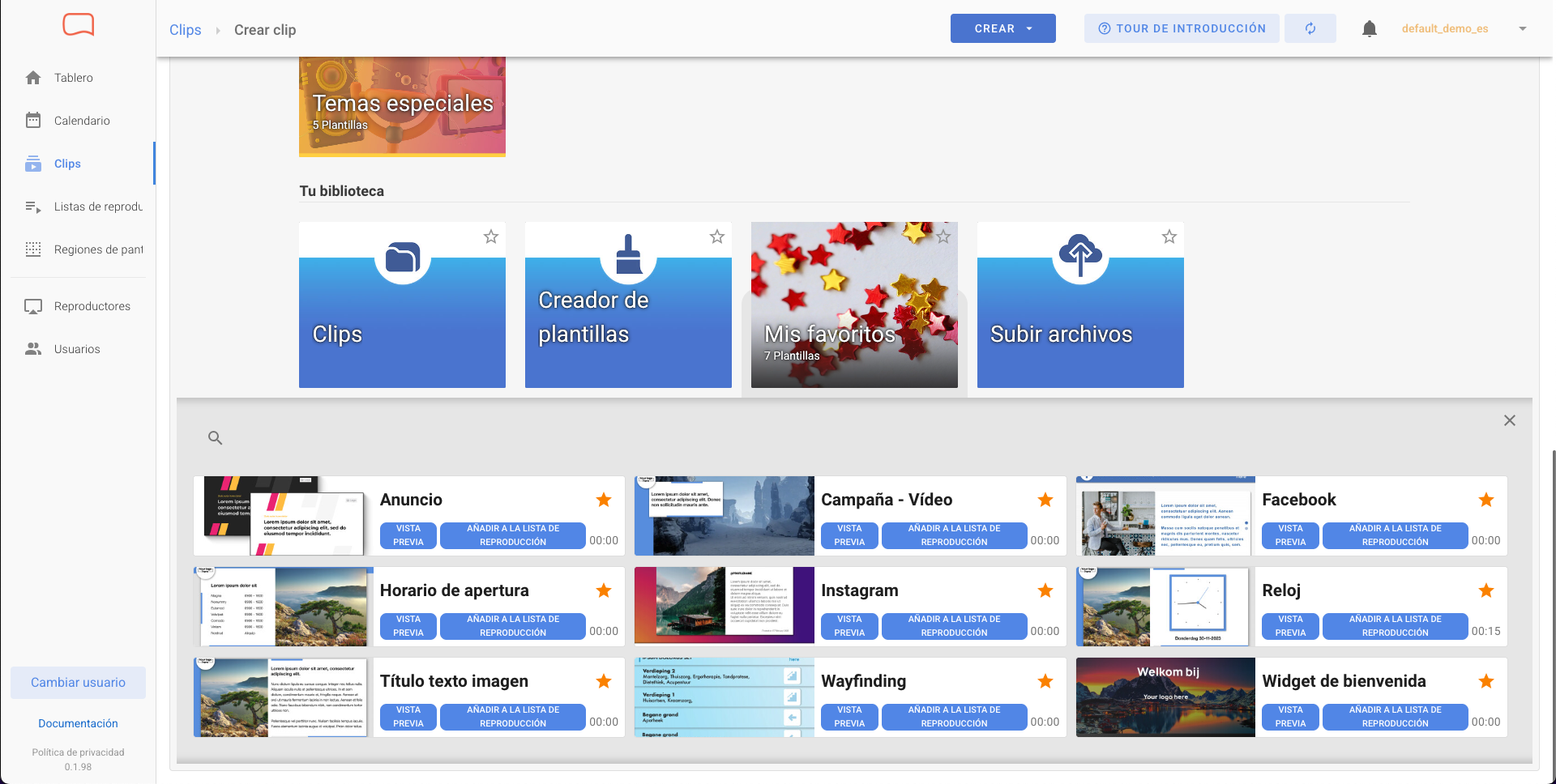
1.3 Smart template access
To reduce overwhelm and help users get started faster:
- Introduced a “Favorites” tab by default, prioritizing the most relevant content from the start
- Curated and highlighted the easiest-to-use and most commonly used templates
- Reduced the need to browse through large libraries of content
This shifted the experience from overwhelming choice to guided selection, helping users quickly find a suitable starting point without friction.
Result: Reduced decision fatigue, faster content creation, and a quicker path to first successful output
🧠 UX principle: Don’t make users think, guide them
02 — Website (Growth & Conversion)
Turning traffic into users
A/B testing
- Tested multiple landing page variations using VWO (Visual Website Optimizer), including layouts, headlines, and CTAs
- Used Google Analytics to analyze traffic, user behavior, and conversion performance
- Identified best-performing layouts & messaging based on data-driven insights
- Collaborated with marketing and product teams to optimize acquisition funnels
Behavior insights
- Used Hotjar heatmaps to visualize click patterns and user attention
- Analyzed scroll depth and click behavior to identify drop-off points and underperforming sections
- Combined insights with Google Analytics data to validate user behavior and flows
Learnings: Users scan rather than read, so key content must appear early, supported by a clear hierarchy and strong CTAs to improve engagement.
SEO & content strategy
- Optimized titles, meta descriptions, and on-page SEO using Yoast SEO
- Created keyword-driven content based on search intent and business goals
- Managed multilingual content (EN, ES, IT, PL, NL, ES-MX), ensuring consistency across languages
- Improved site structure and content clarity to enhance search visibility and user experience
Impact
- Higher conversion rates through optimized layouts and messaging
- Better qualified traffic driven by improved SEO and targeted content
- Clearer product understanding, leading to more confident user decisions
Iterative landing page designs created and tested through A/B experiments, including content (copy and visuals), refining structure, hierarchy, and messaging based on real user behavior and data insights.
🧠 UX principle: Good UX starts before users enter the product
03 — Content System
(Templates & Brand Assets)
Enabling users to create and brands to scale
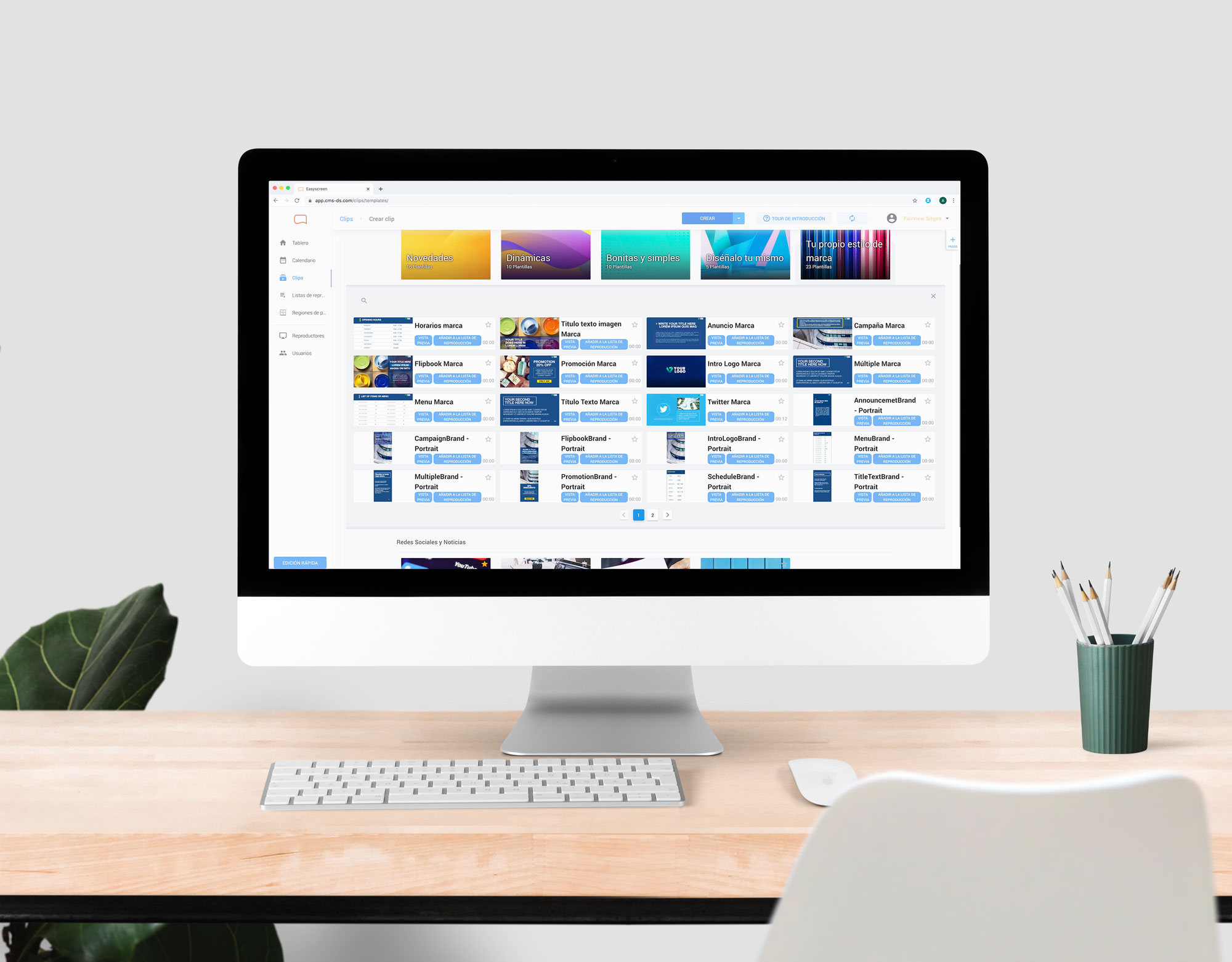
Video templates
- Designed and created fully editable video templates in After Effects, tailored for digital signage use cases
- Built a plug & play content system allowing users to easily customize templates with their own text, images, and branding
- Focused on clarity, readability, and motion design adapted to screens in public and commercial environments
- Ensured templates were reusable, scalable, and aligned with different business needs (retail, hospitality, corporate)
Dynamic content
- Developed dynamic templates connected to real-time data sources
- Integrated automated content such as news feeds (e.g. Diari Ara), transport updates, and live information
- Designed layouts that could adapt to constantly changing content while maintaining visual consistency
- Enabled businesses to display relevant, up-to-date information without manual updates
Automation
- Created a system where users only needed to input basic content (text, images, data)
- Eliminated the need for design or animation skills
- Reduced time and effort required to produce professional-looking content
- Improved usability by simplifying complex content creation workflows into intuitive interactions
3.1 Brand & Marketing Design
Beyond the product, I contributed to building a consistent visual identity across all touchpoints:
- Business cards
- Flyers & brochures
- Packaging
- Sales presentations (PowerPoint, Keynote, Google Slides)
- Trade show booths & physical spaces
- Social media & ad creatives
3.2 Impact
These improvements strengthened both the product experience and the overall brand ecosystem:
- Faster content production through simplified and reusable templates
- Increased product value by enabling users to create content independently
- Stronger brand consistency across digital and physical channels
- Scalable design system extending beyond the product into marketing and brand assets
